Free forever · Open source · Community supported

Your messages. Your quantum.

The privacy-first SMS/MMS app that never ships your conversations to the cloud — unless you choose to.

$0 Forever free
GPL Open source
0 Ads & trackers
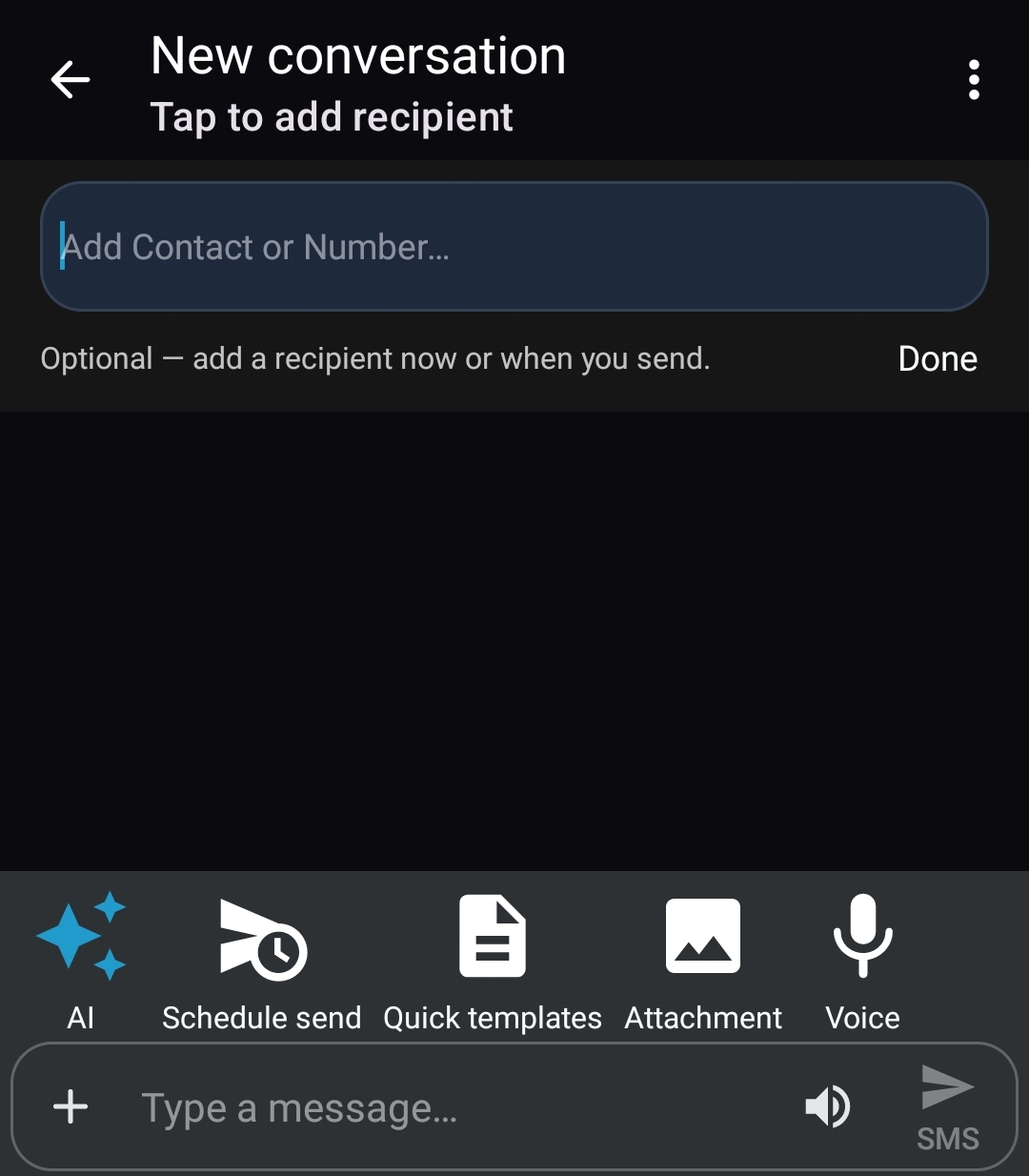
QuantaSMS new message compose with AI, schedule send, templates, attachment, and voice tools
v2.0.5Latest release
Android 8+API 26 minimum
GPL v3Open source
$0No premium tier
0Ads & trackers

Samsung Messages is gone. You don't have to hand your texts to Google.

When carriers push you toward cloud-backed messaging, QuantaSMS is the open-source alternative: modern design, powerful features, and a promise that your SMS stays on your phone.

1
Download the APK

Grab QuantaSMS-2.0.5.apk from GitHub Releases (~60 MB).

2
Allow unknown apps

Enable install permission for your browser or file manager.

3
Set as default SMS

Android will prompt you — required for any SMS client.

4
Message privately

Everything stays on-device. Enable AI or Nearby only if you want.

Privacy. Open source. Powered by you.

QuantaSMS is not a product you're renting from a cloud company. It's software you own, inspect, and optionally help sustain.

Privacy by architecture

Messages live on your device. Networking is opt-in. No analytics, no ad SDKs, no silent uploads.

  • Incognito threads & screenshot blocking
  • On-device audit log
  • Local-only mode kills all network features
  • Optional E2E between QuantaSMS users

Truly open source

GPL v3 licensed. Every line is on GitHub. Fork it, audit it, contribute — no black boxes.

  • Full source at quantumfiduciary/QuantaSMS
  • No proprietary blobs in core messaging
  • Transparent changelog & releases
  • Built by the community, for the community

Free & community supported

$0 to download. $0 to use. Forever. If QuantaSMS saves you time or peace of mind, you can fuel what comes next.

  • No premium tier — every feature is free
  • GitHub Sponsors & Buy Me a Coffee
  • Your support funds maintenance & AI work
  • Not required — gratitude, not guilt

Everything a messenger should be. Nothing it shouldn't.

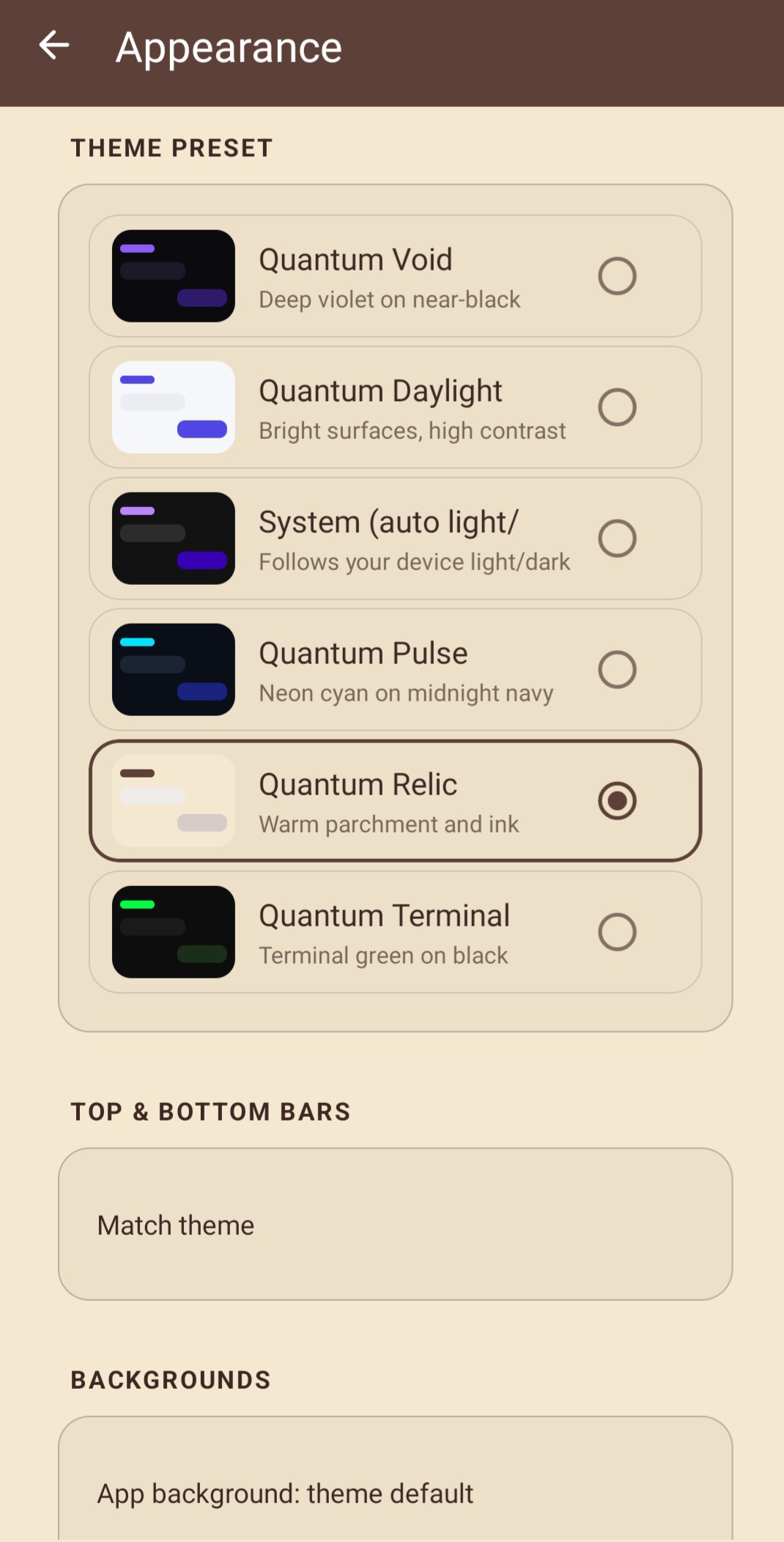
Six quantum themes

Not just dark mode — a full design system. Pick your vibe or build a custom palette.

  • Quantum Void — deep AMOLED black
  • Quantum Daylight — clean light UI
  • Quantum Pulse — neon accents
  • Quantum Relic — warm parchment
  • Quantum Terminal — green-on-black
  • System — follows your phone automatically
Void Daylight Pulse Relic Terminal Custom

Power search

Find any conversation, message, or attachment in seconds — with filters that matter.

  • Filter: unread, groups, attachments, scheduled
  • Voice search from bottom nav (long-press)
  • Swipe up from inbox to search instantly
  • Full-text across threads and snippets
Find anything

My Notes

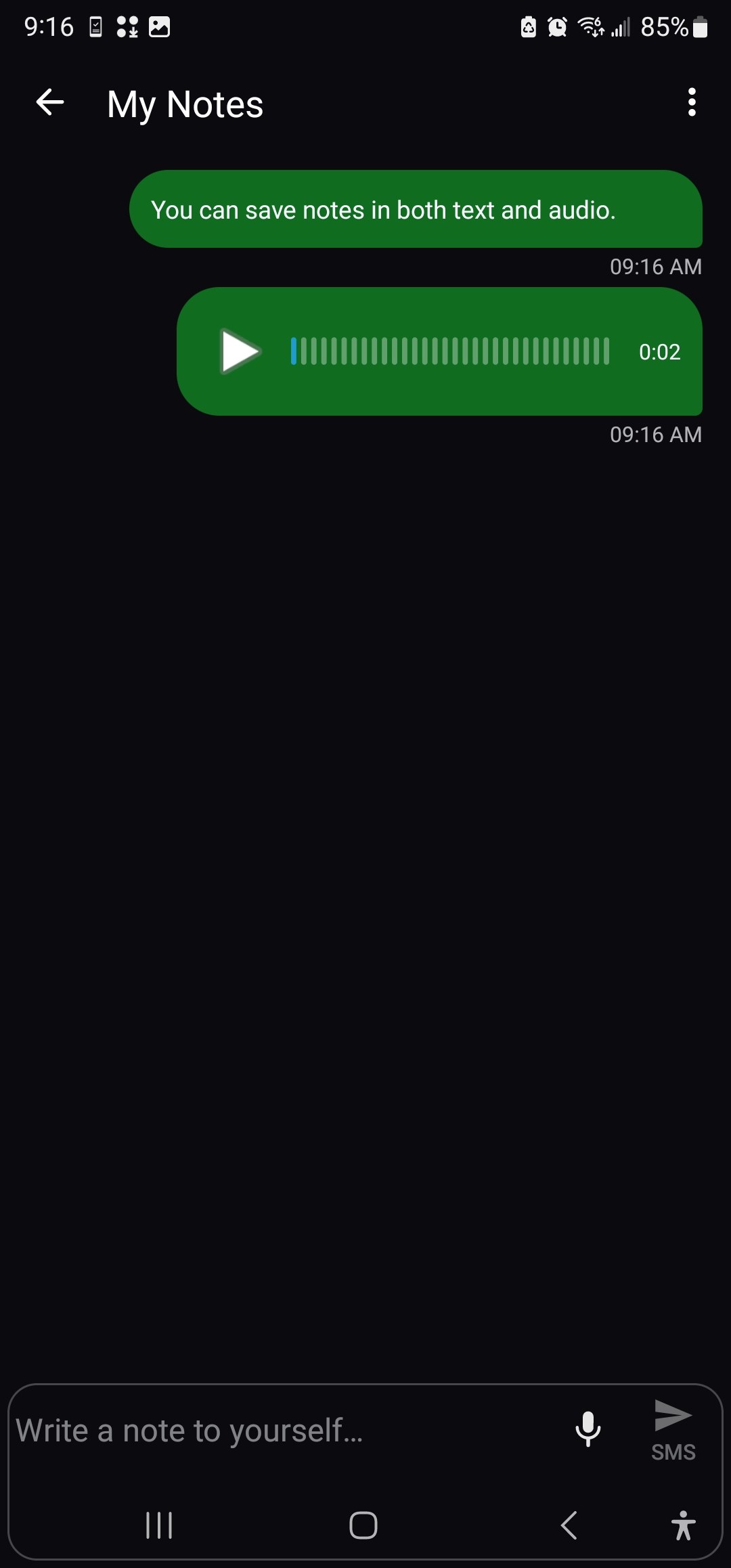
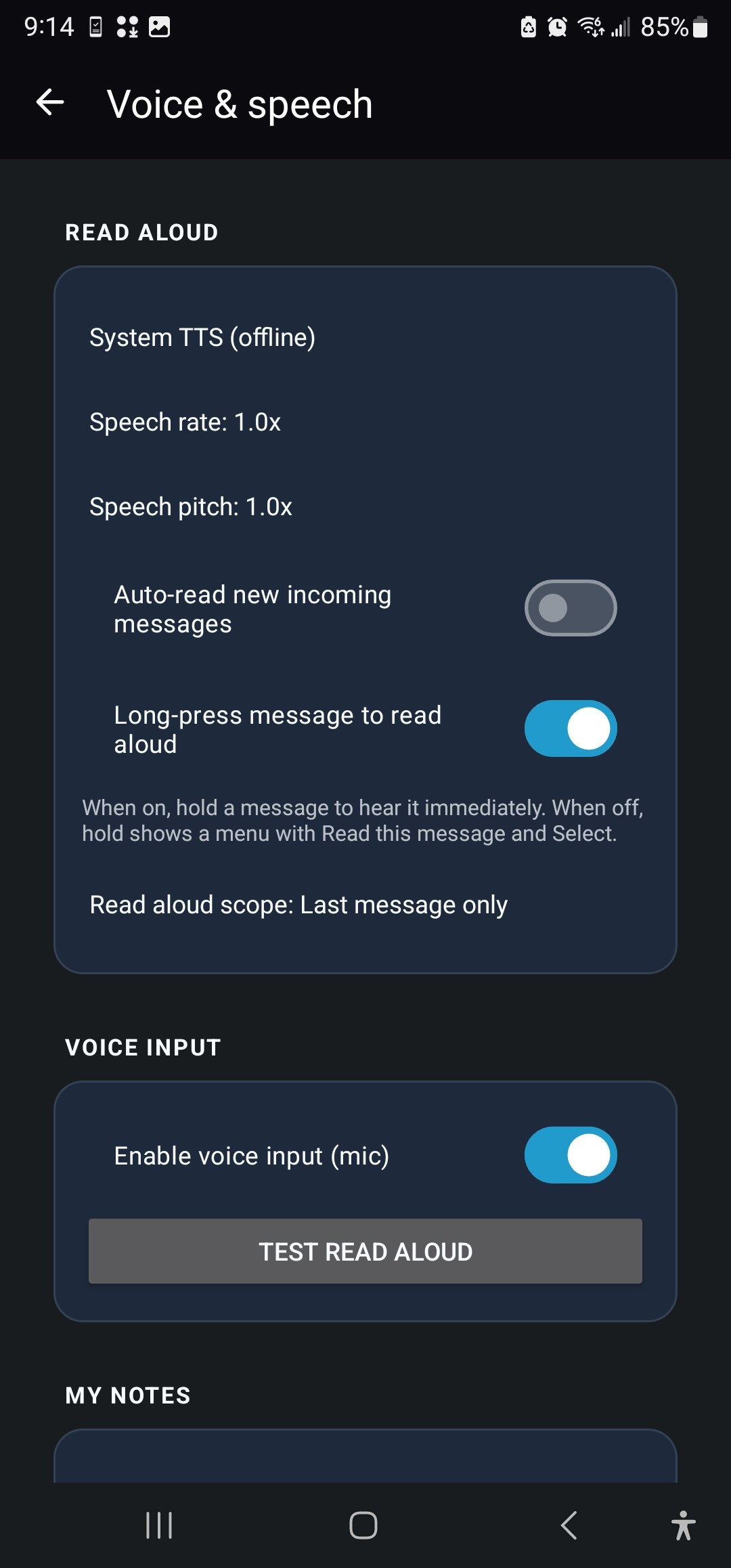
A private scratchpad inside your messenger — text and voice, never uploaded.

  • Text notes + voice notes with waveform playback
  • One tap from bottom navigation bar
  • Pin notes to top of inbox
  • Stored entirely on-device
Local scratchpad

Gesture shortcuts

Power-user flows without cluttering the UI. Configure shake, swipe, and double-tap actions.

  • Shake → compose, search, or scroll to top
  • Swipe down → new message
  • Double-tap inbox → jump to top
  • All optional in Settings → Gestures
Power user

Quanta AI

Bring-your-own intelligence. Cloud API or local Ollama — you choose the model, you trigger every action.

  • Suggest reply, rewrite tone, summarize thread
  • OpenAI-compatible or local llama.cpp / Ollama
  • Text only leaves device when you tap AI
  • Presets: GPT-4o, Qwen, Gemma, or custom model name
Opt-in · You control the endpoint

Quanta Nearby

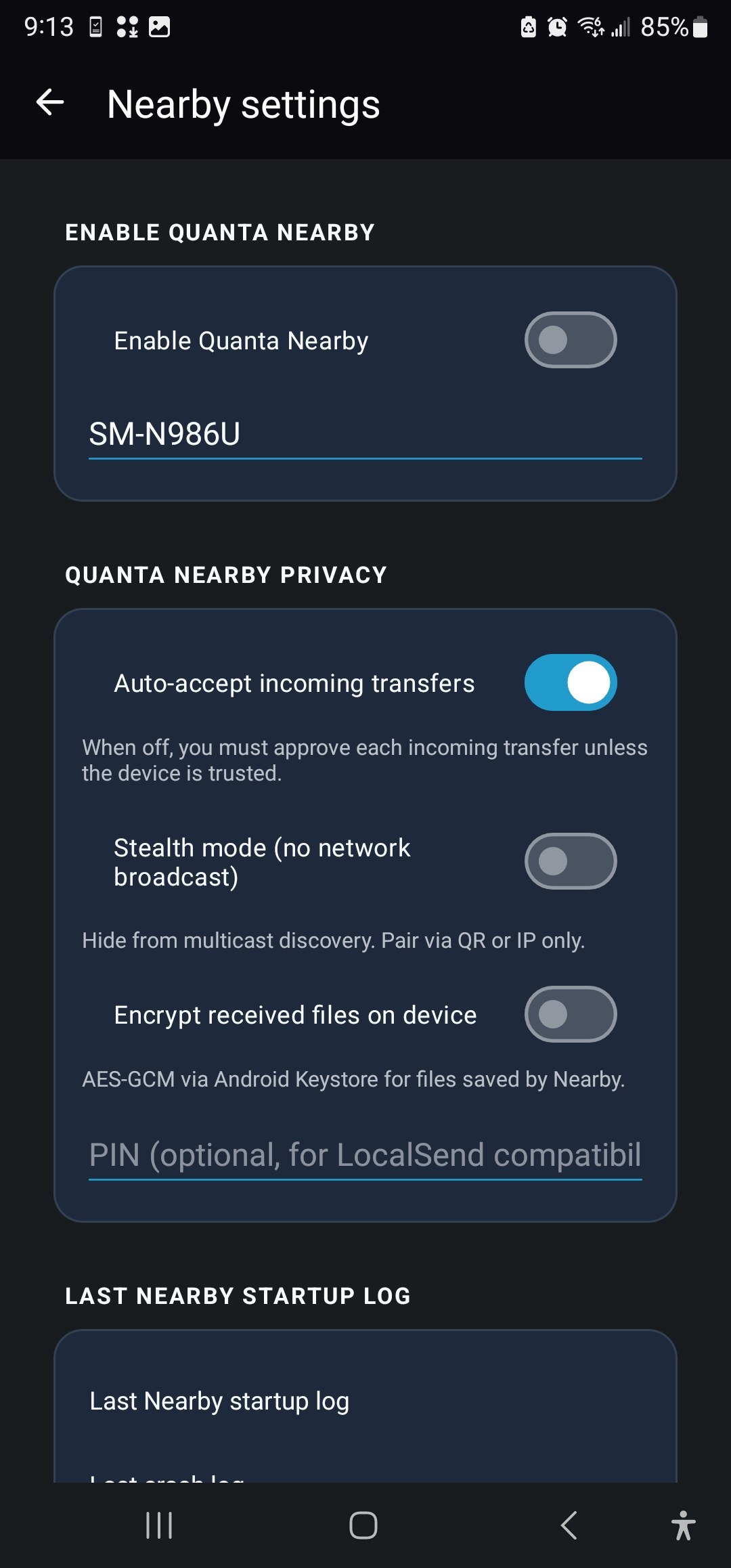
LocalSend-inspired LAN messaging and file transfer. Your Wi‑Fi, your devices, zero internet.

  • mDNS auto-discovery + PIN pairing
  • App-layer E2E encryption on HTTP
  • Stealth mode & per-device incognito
  • Crash guard + auto-resume on relaunch
Off by default

Web Companion

KDE Connect–inspired desktop companion over your LAN — not a cloud relay.

  • SMS read/send from browser
  • Notification & telephony relay
  • Clipboard sync & find-my-phone ring

Developer gateway

Self-hosted HTTP API for home automation, scripts, and LAN tools.

  • POST /message with Basic auth
  • Webhook on successful send
  • Every send logged to audit trail

Bento settings

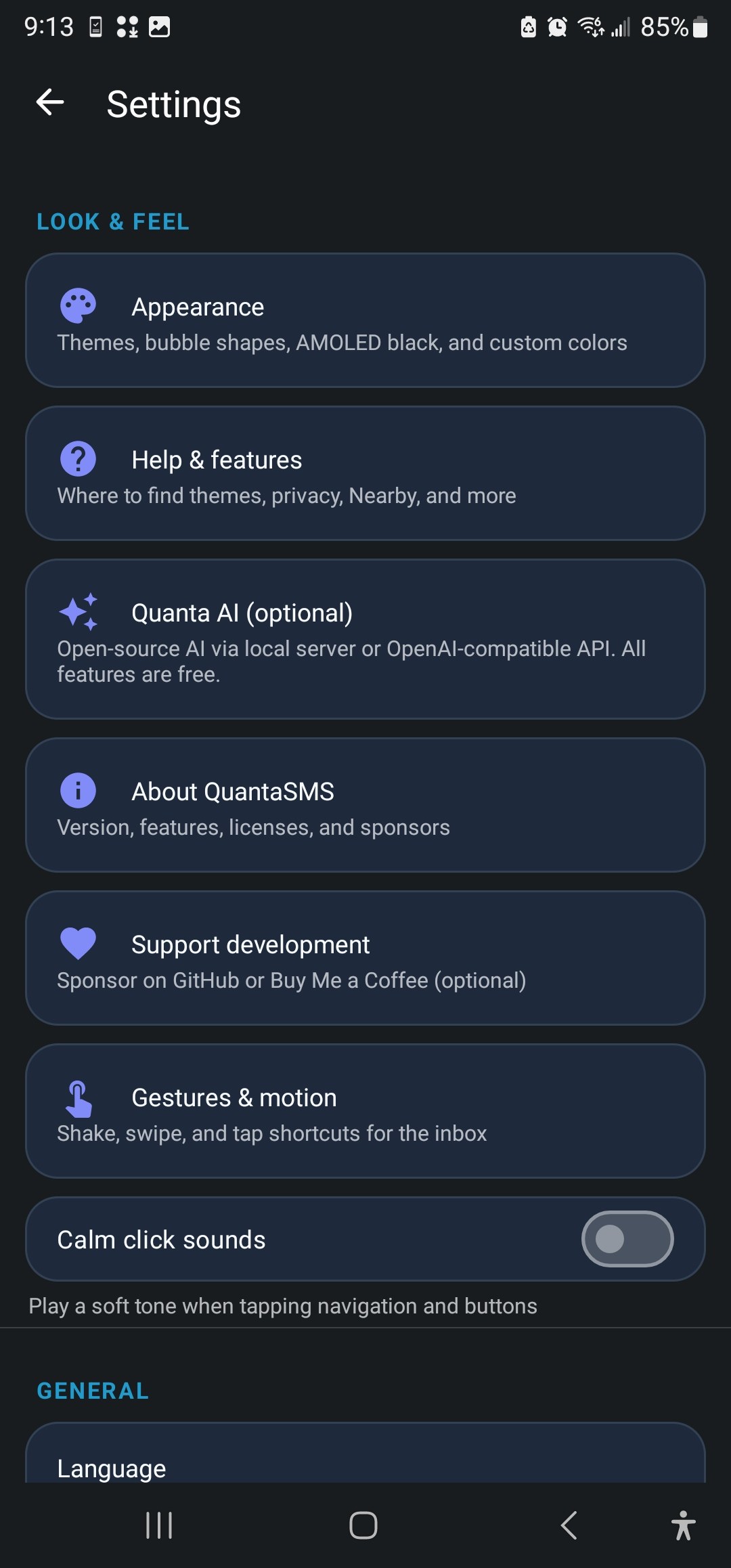
Grouped rounded cards, section icons, and clear hierarchy — settings that match the app polish.

  • Privacy, AI, Nearby, Voice, Appearance hubs
  • In-app help guide & update checker
  • Recycle bin, archive, backup export

Features you won't find in a stock messenger.

Quanta AI

AI that asks permission first

Google's Magic Compose sends your drafts to Gemini automatically. Quanta AI never touches your messages until you explicitly tap the AI button. Connect GPT-4o with your own API key, or run VibeThinker 3B on a Raspberry Pi — the architecture doesn't care, as long as you control the wire.

  • Suggest a reply — context-aware draft in your compose box
  • Rewrite my draft — friendly, formal, shorter, warmer, fix grammar
  • Summarize thread — bullet-point recap in a dialog
Quanta Nearby

Your LAN, your rules

Send a photo to your tablet, ping a message to your partner's phone, or share files between devices on the same Wi‑Fi — no account, no upload queue, no corporate server in the middle. Inspired by LocalSend, hardened for Android with PIN pairing, trusted device pins, and stealth mode when you don't want to be discoverable.

  • Device-verified stable startup (v2.0.4+)
  • Web Companion for desktop SMS sync
  • Per-peer incognito hides inbox strip + notifications
Privacy stack

Defense in depth

Most messengers optimize for engagement. QuantaSMS optimizes for control. Lock the app with biometrics. Block screenshots on sensitive threads. Silence a conversation without deleting it. Export an audit log of every gateway send. Flip local-only mode and the app becomes a island — Nearby, AI, and the developer API all go dark.

  • Incognito: no banners, no Companion sync for that thread
  • Clipboard auto-clear after copy
  • Custom lock-screen notification previews
Developer

Automate your SMS

Home Assistant alert? Cron job confirmation? Custom CRM ping? The local gateway exposes a simple REST API on your phone's IP. HTTP Basic auth, configurable port, webhook callbacks, and every outbound message recorded in the audit log. It's off by default — and disabled entirely in local-only mode.

  • POST /message with JSON body
  • Default port 8080, your credentials
  • curl-friendly for scripts & n8n workflows

Why we built QuantaSMS

Quantum Messaging · July 2026

Samsung Messages is gone. Your privacy doesn't have to go with it.

On July 6, 2026, Samsung shut down Samsung Messages in the United States and began pushing millions of Galaxy owners toward Google Messages — a closed-source app tied to a Google account, with cloud-routed RCS and Gemini-powered features baked in. For many people that's fine. For the rest of us, it felt like the last local-first option on the default path just vanished.

We built QuantaSMS because we wanted something different: a messenger that looks and feels modern in 2026, but treats your SMS the way SMS was always meant to work — on your phone, under your control, with no silent uploads, no ad SDKs, and no requirement to trust a cloud company with every word you type.

"Your messages aren't the product. You are not the product. The app is free, the code is open, and the network features are opt-in." — The QuantaSMS philosophy

What makes QuantaSMS different?

At its core, QuantaSMS is a full-featured SMS/MMS client: inbox, threads, group messaging, scheduled sends, attachments, blocking, archiving, backup export, and dual-SIM support including eSIM labels. But that's table stakes. What matters is everything wrapped around it.

Local-first by default

Messages, notes, and settings live on your device. The app works without internet for core SMS. Networking is only for MMS (carrier-required), plus features you explicitly enable.

Opt-in everything else

Quanta AI, Quanta Nearby, Web Companion, and the developer gateway are powerful — and entirely off until you turn them on. Point AI at your own server. Point Nearby at your own LAN.

A design system, not just a dark theme

We didn't slap a black background on a 2014 UI and call it a day. QuantaSMS ships six curated theme presets — Quantum Void for AMOLED purists, Quantum Daylight for bright environments, Quantum Pulse for neon lovers, and more — plus a fully custom theme builder. Settings use a bento-style card layout so you can actually find things. The bottom bar puts Notes, Search, Nearby, and Settings one tap away; compose lives on the FAB where your thumb expects it.

Quanta AI — intelligence without surveillance

Every major messenger is racing to put cloud AI in your compose bar. We put AI there too — but with a critical difference: you choose the provider, and you choose every invocation. Connect an OpenAI-compatible API with your own key, or run a local model on Ollama. Suggest a reply, rewrite your draft with a tone picker, or summarize a long thread. Your SMS history stays on-device until you deliberately send text to the endpoint you configured.

Quanta Nearby — the LAN is yours again

Remember when you could AirDrop to a friend without creating an account? Quanta Nearby brings that energy to Android: message and file sharing over Wi‑Fi with mDNS discovery, PIN pairing, end-to-end encryption, and stealth mode. No internet required. No corporate relay. Open it from the bottom bar, pair once, and your devices talk directly.

Privacy tools that mean something

Incognito threads silence notifications and exclude conversations from Web Companion sync. Screenshot blocking stops shoulder surfers. App lock with biometrics keeps the inbox behind your fingerprint. An on-device audit log records every developer-gateway send. Local-only mode is the nuclear option — one toggle disables all networked features. These aren't checkbox features for a privacy policy page. They're tools you can feel.

  • Free forever. No premium tier. No "QuantaSMS Pro." Every feature in the app is free.
  • Open source. GPL v3. Read the code on GitHub. Fork it. Audit it. Contribute a fix.
  • Community supported. We fund development through GitHub Sponsors and Buy Me a Coffee — optional donations from people who want to see the project grow.
  • No ads. No trackers. No telemetry. We don't know how many messages you send. We don't want to.

Who is QuantaSMS for?

If you're happy with Google Messages and RCS through Google's servers, QuantaSMS probably isn't for you — and that's okay. We're honest about the trade-off: you won't get cloud RCS chat features. What you will get is SMS/MMS that stays local, an app you can inspect and trust, optional AI and LAN features pointed at infrastructure you control, and a team that builds for privacy-minded Android users — not for ad impressions.

If Samsung's shutdown left you looking for an alternative, if you're skeptical of Gemini reading your drafts, if you run a home lab and want an SMS API on your phone, or if you simply believe messaging apps should respect you — QuantaSMS was built for you.

Download it free. Use it free. If it earns a place on your home screen, consider buying us a coffee. That's the whole business model.
Fort Knox for your conversations.

Hardening tools that most messengers don't even offer — because they're built for engagement, not for you.

Incognito threads

Per-conversation privacy toggle. Silence notifications and exclude the thread from Web Companion sync — the chat stays in your inbox, but it won't ping you or appear on your paired desktop.

  • No banner, sound, or lock-screen preview
  • Excluded from notification relay
  • Combine with app lock for sensitive chats

Screenshot block

Prevent screen captures and recordings on sensitive conversations — useful for OTPs, medical info, or anything you don't want saved in a camera roll.

  • Per-app or system-wide blocking option
  • Works with modern Android security APIs

Audit log

Transparency for power users. Every developer-gateway send and security event is recorded on-device — export, share, or clear when you want.

  • View from Privacy → Audit log
  • Clipboard auto-clear option

App lock & E2E SMS

Biometric or PIN lock for the entire app. Optional end-to-end encryption for SMS between QuantaSMS users who've exchanged keys.

  • Fingerprint / face unlock support
  • Key exchange flow for encrypted threads
  • Custom notification preview levels

Local-only mode

The nuclear option. One toggle disables Nearby, the developer gateway, Quanta AI network calls, and Web Companion — your phone becomes a SMS island.

  • Instant kill switch for all networking
  • Core SMS/MMS still works via carrier
  • Ideal for travel or high-threat environments

Don't trust us — verify us.

The entire QuantaSMS codebase is on GitHub under the GNU General Public License v3. No hidden analytics modules. No closed-source "security" blobs in the messaging core. Security researchers, privacy advocates, and curious developers are welcome to read every line, open issues, and submit pull requests.

View source code

Free to use. Funded by believers.

QuantaSMS will never charge for features, show ads, or sell your data. Optional support keeps the lights on for development, device testing, and the roadmap ahead.

$0

Forever free. Full stop.

No premium tier. No trial. No "upgrade to unlock AI." Download the APK, set it as your default SMS app, and use everything.

Get the APK

Love it? Fuel what comes next.

We're a small team building for privacy-minded Android users. Donations are optional, transparent, and go toward maintenance, new features, and on-device AI research.

GitHub Sponsors Monthly or one-time support tied to the open-source repo. See exactly what you're backing.
Buy Me a Coffee Quick one-off tip for individuals who want to say thanks without a subscription.
Contribute code Pull requests, bug reports, and translations are support too. Join us on GitHub.

Built for privacy. Shown in seconds.

Short ads produced with Volta Studio — your messages on your device, no cloud required.

Social reel

15-second vertical cut for stories and feeds — privacy-first SMS in a glance.

9:16 · 15s

Designed for humans. Engineered for privacy.

A modern Android experience that doesn't look like it was built in 2014.

Not Google Messages. By design.

We trade cloud RCS for local-first privacy. Here's what you gain.

Capability Google Messages QuantaSMS
Open source Proprietary ✓ GPL v3
No ads / tracking Analytics & services ✓ None
Works without Google account
Messages local by default Cloud-backed RCS ✓ On-device
Bring-your-own AI Gemini (cloud) ✓ Local or API you choose
LAN file & message sharing ✓ Quanta Nearby
Incognito / audit log / app lock
Price Free (data is the product) ✓ $0 forever · community supported

Install in under two minutes.

Sideload the APK, set QuantaSMS as your default messenger, and you're done. No account signup. No cloud backup required.

  1. Visit GitHub Releases and download the latest QuantaSMS-*.apk.
  2. On your phone: Settings → Apps → Special app access → Install unknown apps — allow your browser or Files app.
  3. Open the APK and tap Install. Debug builds use package org.quanta.sms.debug so they can sit beside a release install.
  4. Launch QuantaSMS and accept the prompt to set as default SMS app. Grant SMS permissions when asked.

Questions we hear before the first text.

Is QuantaSMS really free?

Yes — every feature is free. There is no premium tier, no subscription, and no ads. The project is community supported through optional GitHub Sponsors and Buy Me a Coffee donations.

Does it work without a Google account?

Yes. QuantaSMS does not require a Google account for core SMS/MMS. Optional features (AI APIs, etc.) are configured by you and only used when you enable them.

How is this different from Google Messages?

Google Messages routes RCS through Google's servers and integrates Gemini in the cloud. QuantaSMS is SMS/MMS-only, local-first, open source, and designed so your messages stay on your phone unless you opt into networked features.

Does QuantaSMS support RCS?

Not currently. QuantaSMS focuses on SMS and MMS with privacy-first local storage. You trade cloud RCS features for keeping conversations off third-party servers.

Is my data sent to your servers?

No. We run no analytics, no telemetry, and no message relay. Quanta AI only sends text to an endpoint you configure, and only when you tap an AI action. Nearby and the developer gateway are local-network only.

Can I audit the code?

Absolutely. The full source is on GitHub under GPL v3. Security researchers and privacy advocates are welcome to read, fork, and contribute.

Ready to message on your terms?

Download free. Set as default SMS app. No account. No cloud. No catch. Optional donations welcome — never required.